
Your social media, on your DigitalShyft portal
How to plan, create, approve and publish your posts
Your portal now plans, writes, designs and publishes your social media posts on Facebook, Instagram, LinkedIn, X and TikTok. You choose how often you post, and you see and approve what goes out under your name. Here is how it works, step by step.
Download this guide (PDF)1Approve your brand profile
How your brand sounds and looks.
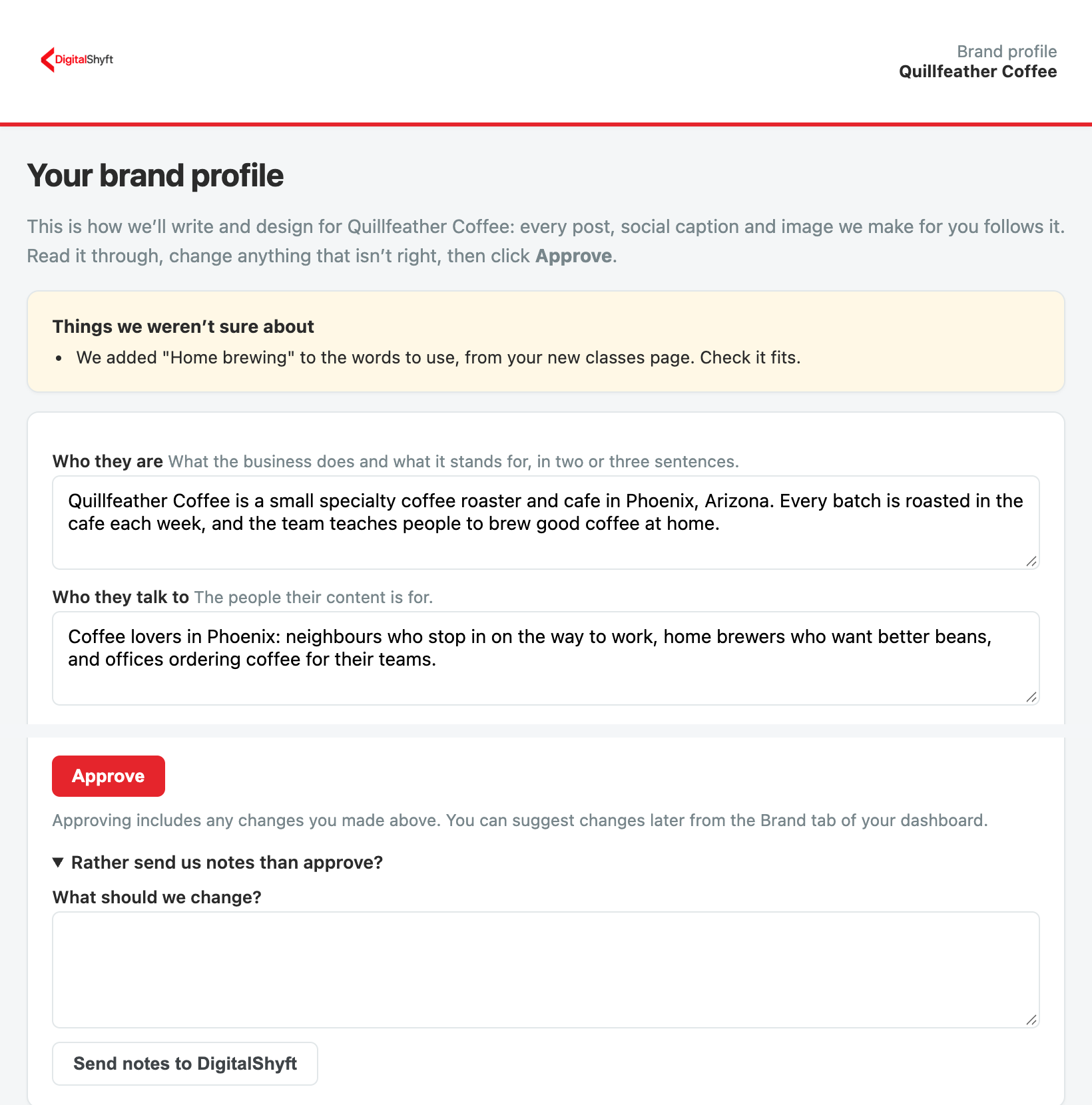
Your brand profile covers your tone, the words to use and avoid, the rules every post follows, your colors and the look of your images. Every post, social caption and image we make for you follows it. We drafted it for you; you review it and approve it.
We email you a link to it. No login needed. From there you can:
- Change anything that isn't right, right on the page
- Click Approve, and your changes are approved with it
- Or open Rather send us notes than approve? and click Send notes to DigitalShyft
Once it is approved, you see it on the Brand tab of your dashboard. An Admin or Manager can suggest changes there at any time.
2Connect your accounts
A one-time setup.
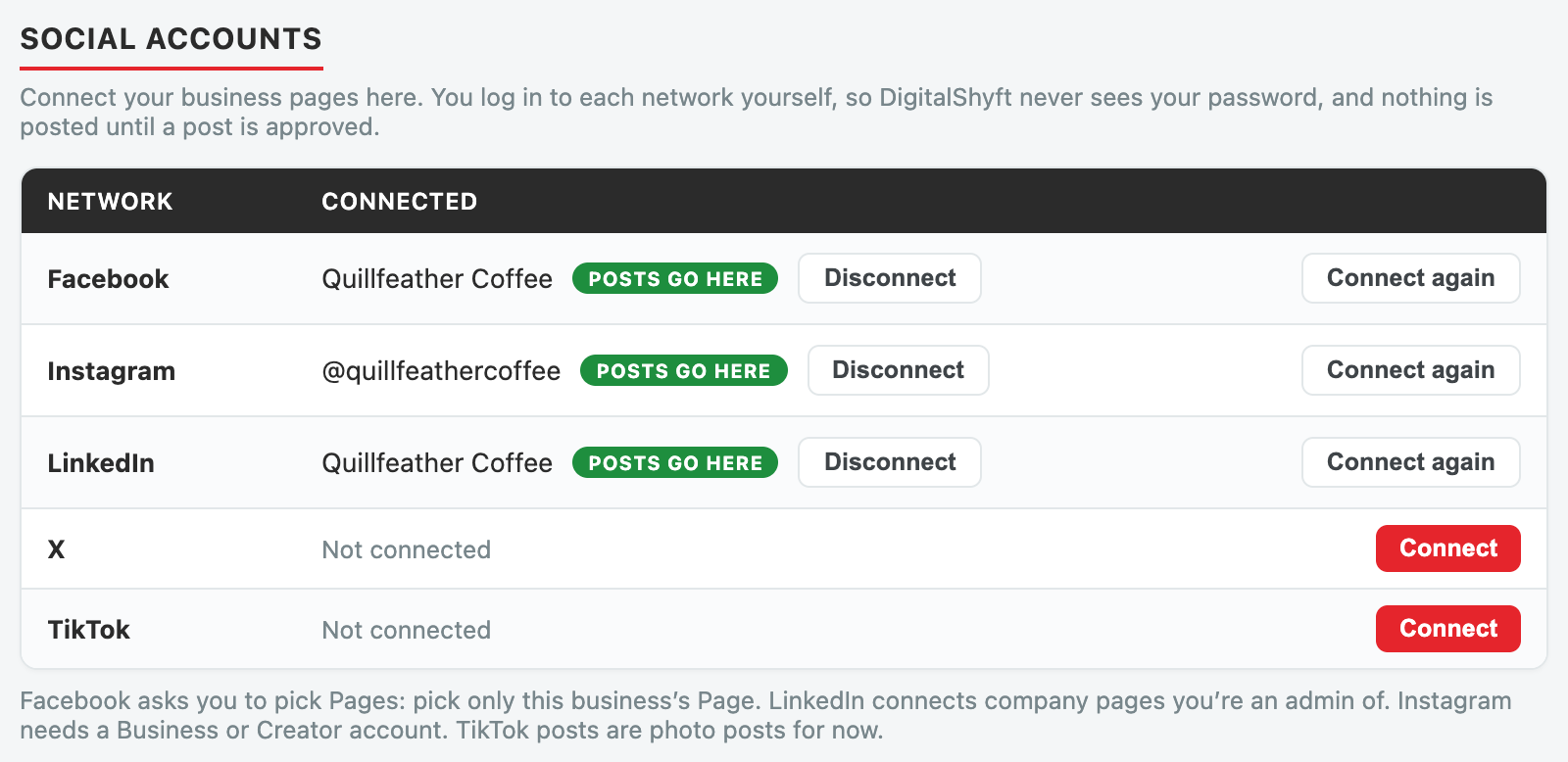
On your dashboard, open the Social tab and find Social accounts. Click Connect next to each network you use.
- You log in to Facebook, Instagram, LinkedIn, X or TikTok yourself, on their own site. We never see your password.
- You come straight back to your dashboard, connected.
- You can disconnect a network at any time from the same place.
3Approve your Social Playbook
The strategy every post follows.
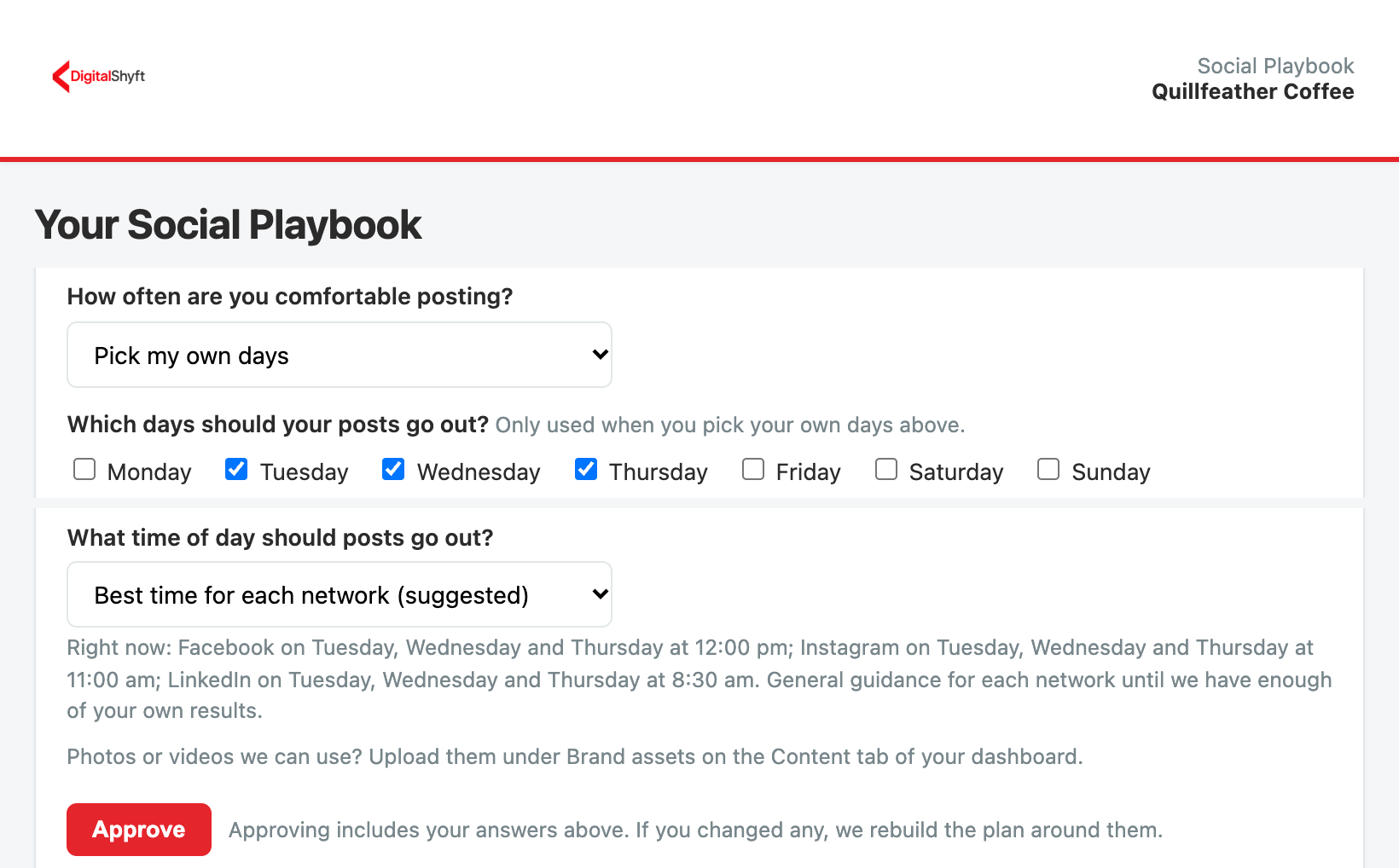
Your Social Playbook covers what social media should do for your business, who your customers are, the kinds of posts we rotate through, and how followers become customers. We drafted it for you; you review it and approve it.
It also asks when your posts go out:
- How often you post. 3 or 5 posts a week, every day, or Pick my own days and tick the days you want.
- Your hashtags. We start them from your services, your area and what people search to find you. Keep the ones that fit and add your own.
- What time of day your posts go out. Choose Best time for each network (suggested) and each network posts at the time we suggest for it.
Open it from the link we emailed you, or on the Social Playbook tab of your dashboard.
4Set your posting plan
You decide how much you post.
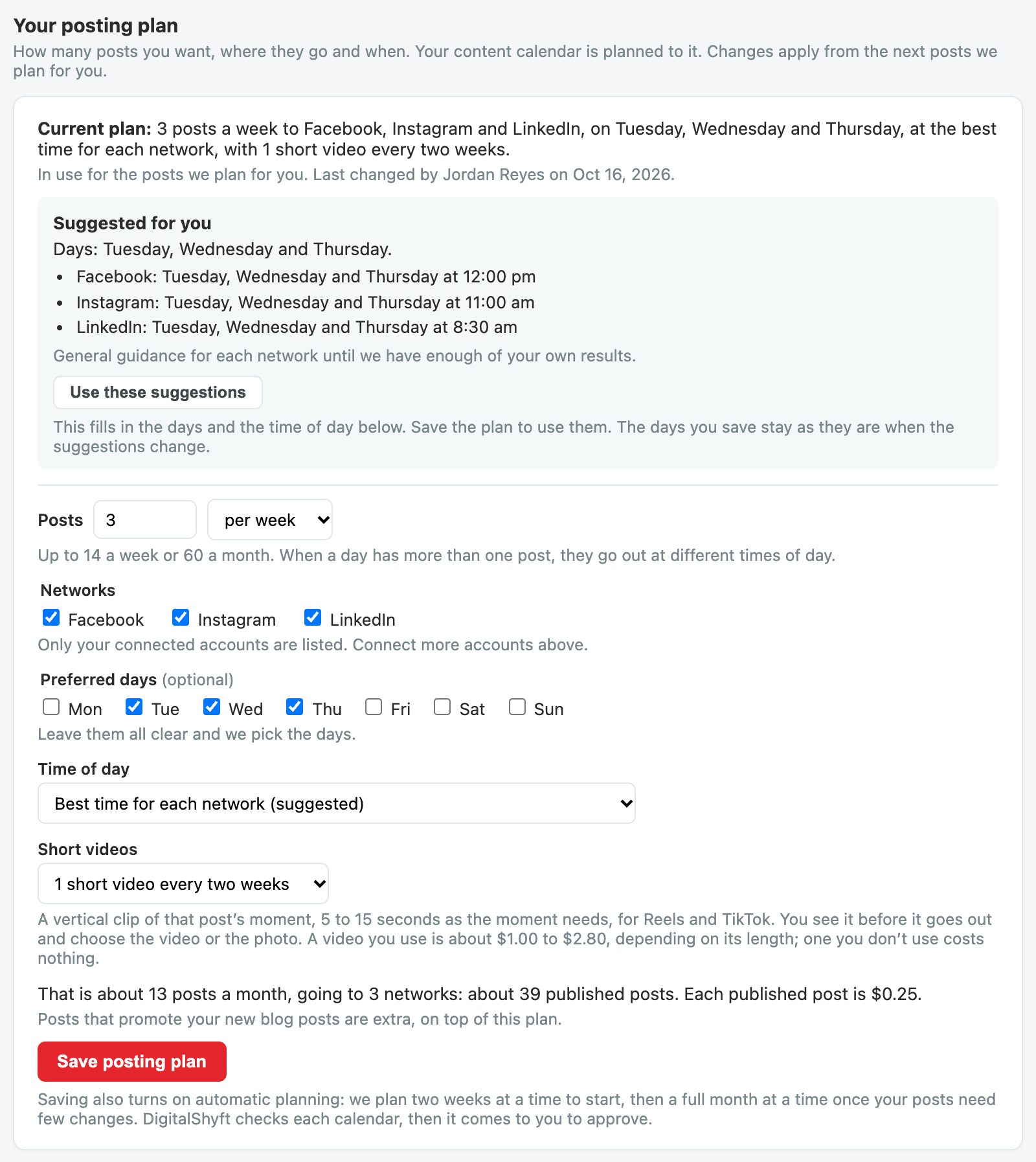
On the Social tab, under Your posting plan, choose:
- How many posts, per week or per month
- Which of your connected networks they go to
- Preferred days, if you have any
- The time of day
- How many short videos: none, 1 or 2 every two weeks
The Suggested for you box shows the days and times we suggest for each of your networks, and what they are based on. Click Use these suggestions to fill them in, then save your plan.
You see an estimate of your monthly posts before you save. Changes apply from the next posts we plan for you.
Under Mood and style, tick how your posts should feel, or describe it in your own words. New posts are written that way.
5Approve your posts
Two weeks or a whole month of posts, approved in one go.
When you start, we plan two weeks of posts at a time, so we can learn what you like. Once your posts need few changes, we move you to a full month, planned around the 20th of the month before. Every post comes ready to go:
- Its date and time
- Text written for each network
- A branded image: a photo with your logo and a short headline
- A short video, if your plan includes one: 5 to 15 seconds of the post's moment, as long as it needs
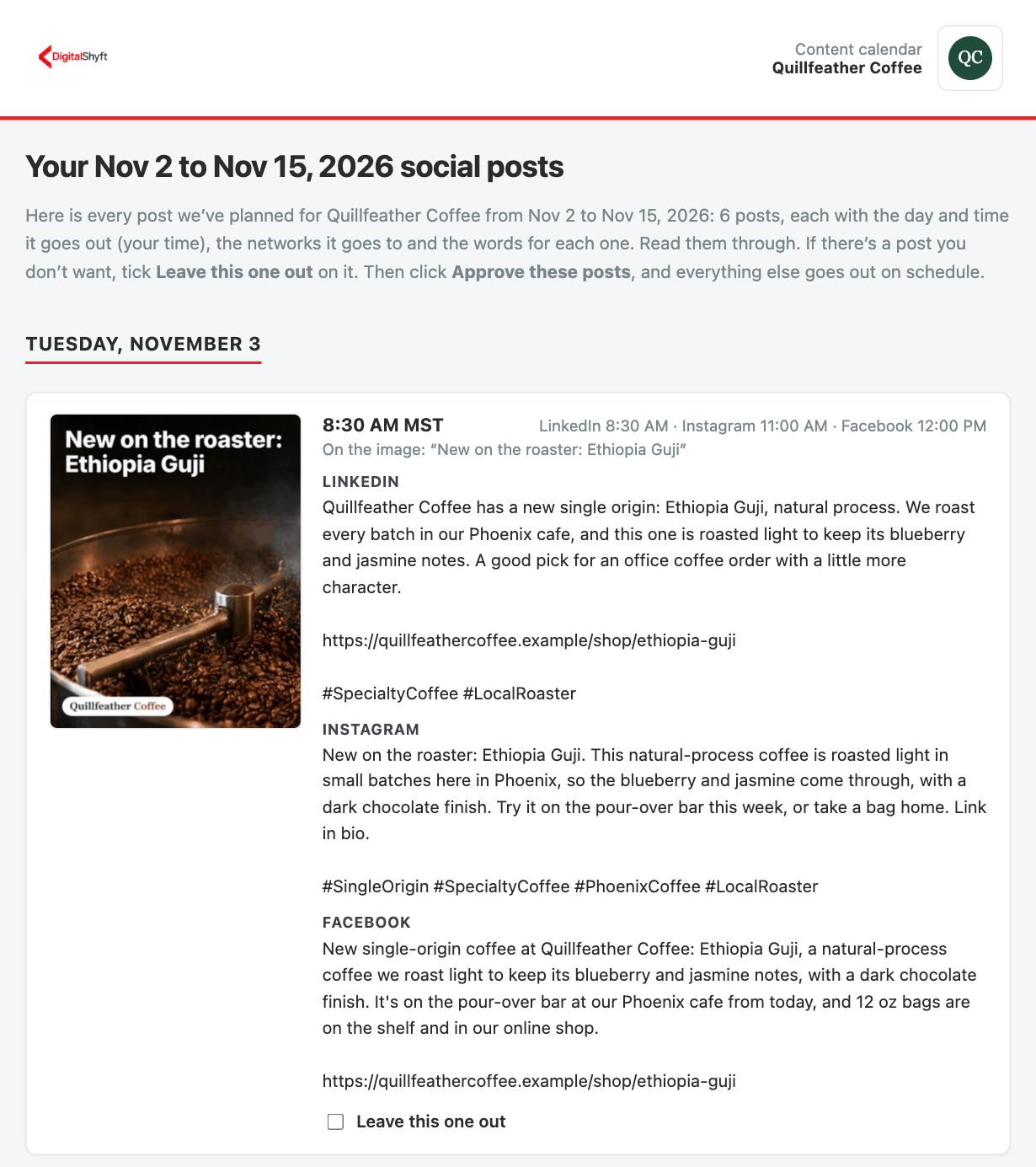
We email you a link to review every post. No login needed. From there you can:
- Approve them all in one click
- Leave out any post you don't want
- Send us notes instead, and we'll make changes
Short videos. When a post has a video, you'll see it on your review page. Choose Use this video and the post goes out as a Reel on Facebook and Instagram, with its branded image as the cover. Choose Keep the photo and it goes out as usual. A video you don't use costs nothing.
You can also change any post's text or image on your Social tab before you approve. Once they are approved, each post publishes at its scheduled time.
6Create a post any time
Something to share today? It takes a minute.
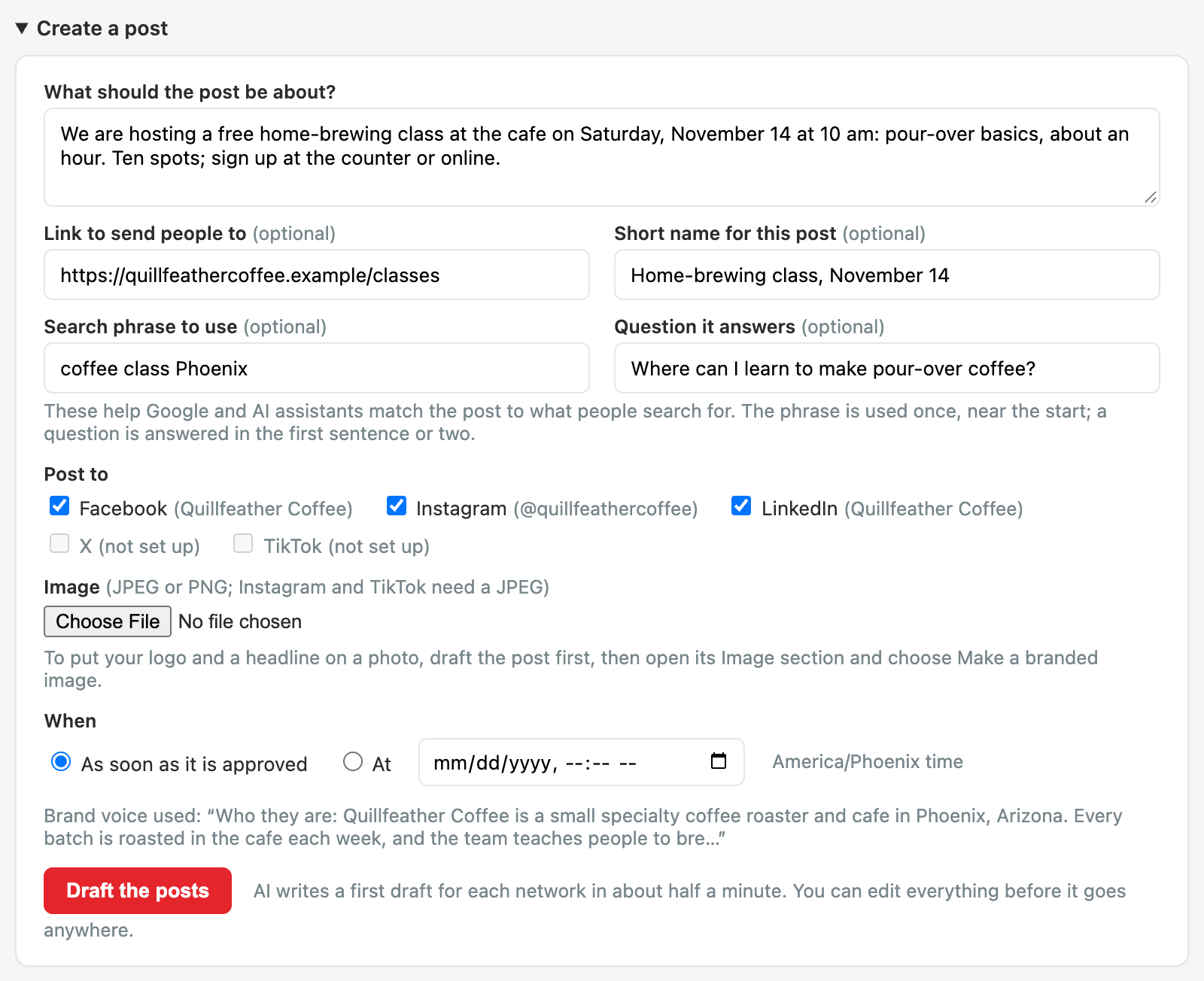
On the Social tab, open Create a post:
- Say in a sentence or two what it's about.
- Add a link, if there is one.
- Pick the networks.
- Add an image: upload your own, pick one from your brand kit or your AI images, or make a branded image with your logo and a headline.
- Post as soon as it's approved, or pick a date and time.
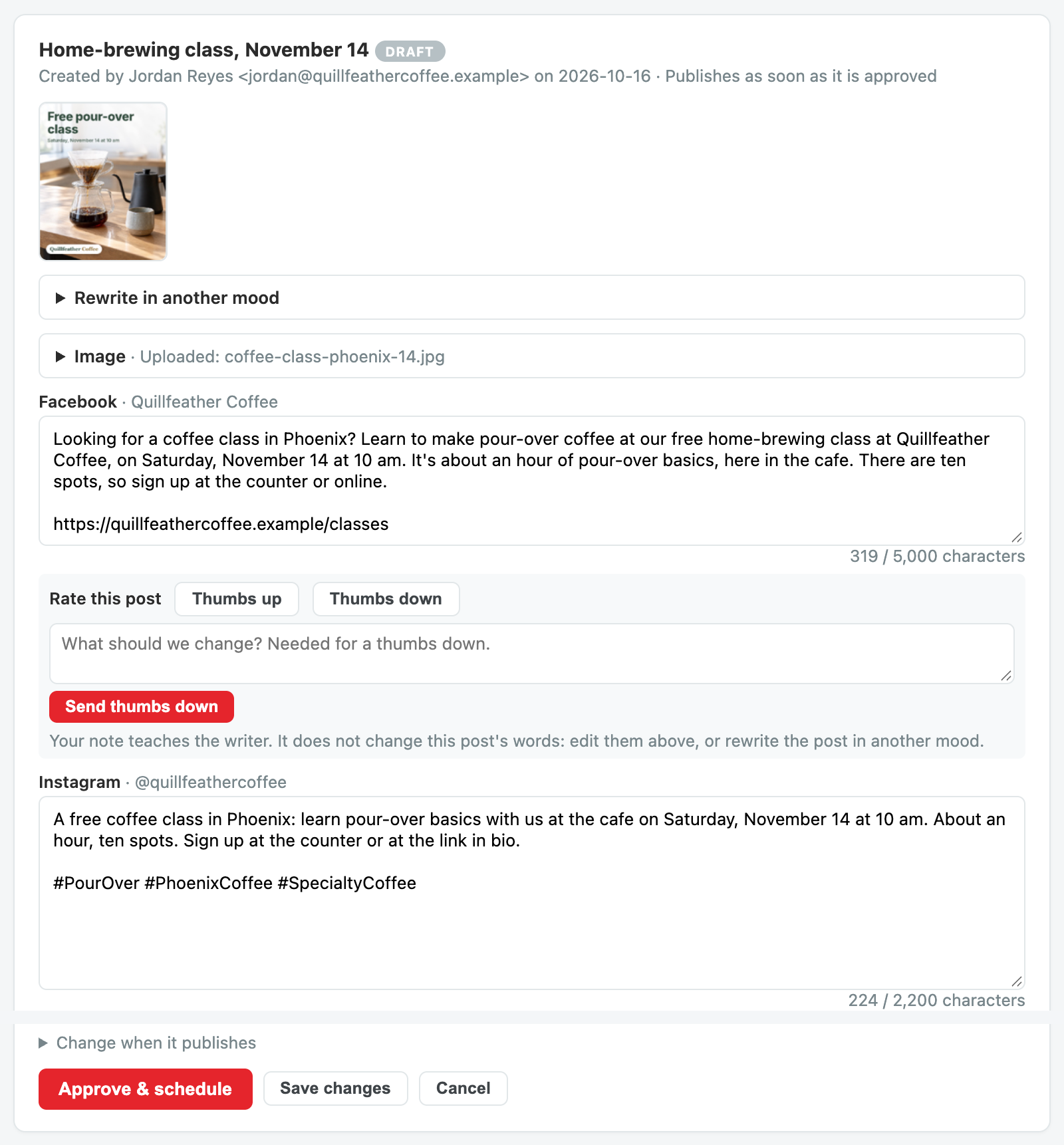
We draft the text for each network for you. Change anything you like. When it looks right, approve it and it goes out at the time you picked.
7Blog posts promote themselves
When a new blog post goes live on your website, whether we wrote it or you did, we write posts that link to it for each network you post to.
- They publish automatically once the article is live, as long as they pass our accuracy check and our image check.
- If anything needs a second look, our team reviews it before it goes out.
- Until the article is live, you can change or cancel those posts on your Social tab. A post you change goes out as you wrote it.
Blog posts are extra, on top of your posting plan.
8Written to be found
Built for search engines and AI assistants, not just your followers.
- When a post is built around a search phrase, it uses those words naturally, starting in the first line.
- When a post answers a question your customers ask, it answers it right away.
- Each post names your business clearly, and the area you serve where that matters, so search engines and AI assistants can tell who you are.
- Hashtags come from your own list in your Social Playbook, or from what people search to find you until you have one.
- Links go to the most relevant page on your site, tagged so you can see the visits they bring in your website analytics.
Every batch of posts we plan is built from your own dashboard: your top pages, what people search to find you, keywords close to page one of Google, the questions people ask, your recent blog posts, and which past posts brought visitors to your site.
9It learns from you
- Every change you make to a post teaches your writer what you like.
- Give any post a thumbs up or a thumbs down. With a thumbs down, tell us in a few words what to change.
- Your next posts take it all into account, so they need fewer changes over time.
- See what it has learned under What the writer has learned on your Social tab. An Admin or Manager can remove a lesson that is wrong.
Your brand profile and Social Playbook always come first.
10Pricing
- A post that goes to Facebook and Instagram counts as two published posts.
- The $0.25 is only charged when a post is actually published. Posts that fail or are cancelled are never charged it.
- A short video you use is about $1.00 to $2.80, depending on its length, added to your AI usage. A video you don't use is never charged.
- Both appear on your regular twice-monthly invoice.
11Who can do what
| Role on your account | What they can do |
|---|---|
| Admin or Manager | Connect networks, set the posting plan, create, change and approve posts, give thumbs up or down |
| Viewer | See everything on the Social tab |
Anyone we email a review link to can approve those posts from the link, while they are an Admin or Manager on your account.
Need to change someone's access, or have a question? Send us a request from your dashboard, or reply to any of our emails.